
United Airlines Wi-Fi: Cost, Starlink Rollout and How to Connect
By John··
Staying connected in the air has never been easier! United Airlines offers in-flight Wi-Fi, so you can browse, stream, and stay productive while flying. In this guide, we’ll walk you through everything you need to know about United Airlines Wi-Fi, pricing, features, subscriptions, and the free Starlink-powered Wi-Fi that's now rolling out across United's fleet.
United Airlines Wi-Fi
United Airlines provides in-flight Wi-Fi on most of its flights, letting passengers use their phones, tablets, and laptops to stay connected. Whether you want to send messages, work, or just scroll through social media, United has you covered.
Using Wi-Fi
Connecting to United Wi-Fi is simple. Here’s what you need to do:
- Turn on Airplane Mode on your device after boarding.
- Connect to the "United_Wi-Fi" network.
- Open your browser and go to unitedwifi.com.
- Pay with a credit card or miles, or log in if you have a subscription. On a Starlink plane, just sign in with your MileagePlus account and it's free.
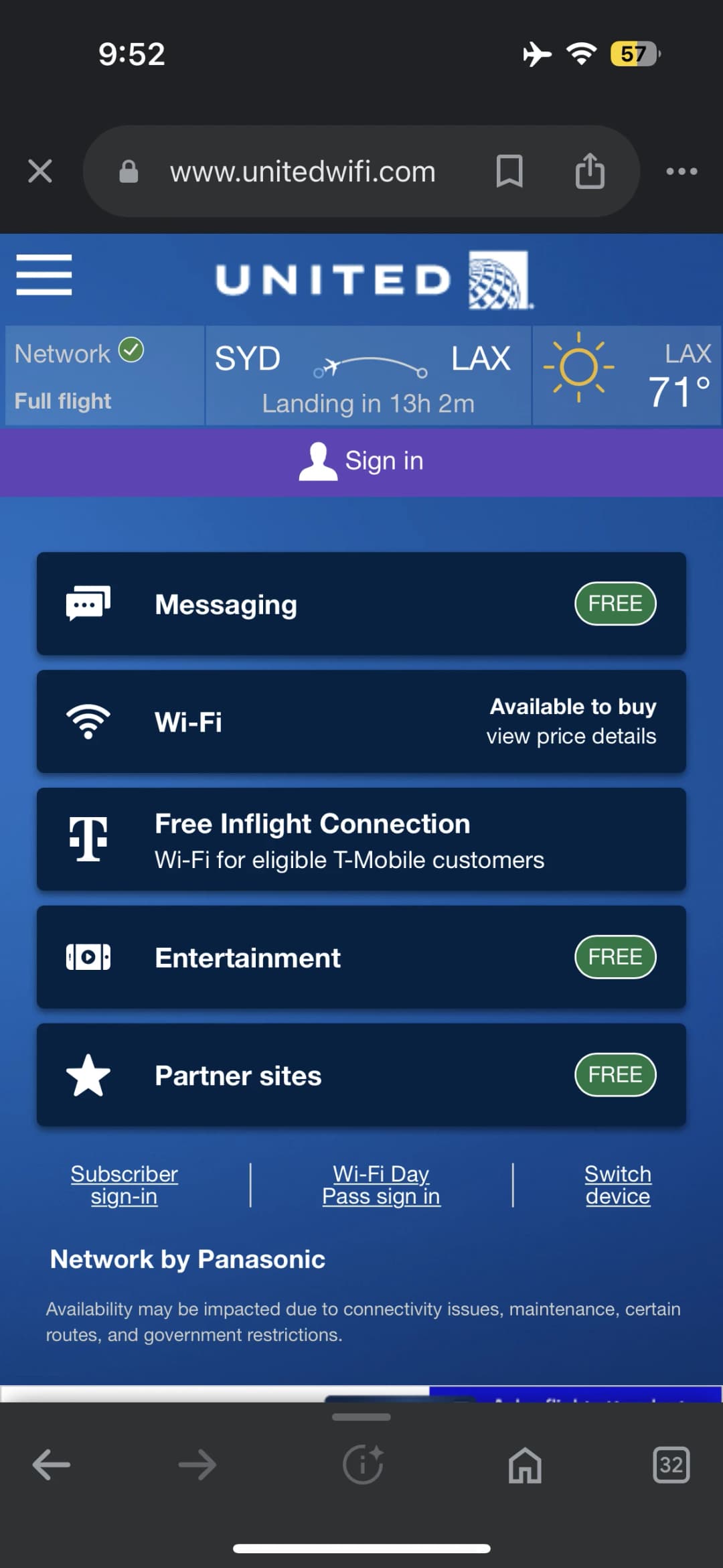 United Airlines in-flight Wi-Fi screen.
Pricing
United offers flexible Wi-Fi pricing:
- Starlink Flights: Free for MileagePlus members (and joining MileagePlus is free).
- Domestic/Short-Haul Flights without Starlink: $8 (or 800 miles) for MileagePlus members, $10 for others.
- Other Flights: Pricing varies based on flight length and route.
T-Mobile Customers: The free T-Mobile Wi-Fi perk on United ended in July 2026, so you pay the same prices as everyone else.
Benefits of United Wi-Fi
Here’s what you can do with United Wi-Fi:
- Free Messaging: Use apps like iMessage, WhatsApp, and Google Messages for free.
- Surf and Stream: Browse the web, check emails, or even stream videos on select flights.
- Stay Social: Post on Instagram, tweet, or scroll through Facebook.
Even without paying, you can access united.com, the United app, and free entertainment options.
How to Get and Use United Wi-Fi
Flights with Wi-Fi
United uses 4 Wi-Fi companies to bring in-flight Wi-Fi: GoGo, Panasonic, Thales, and ViaSat (plus Starlink, which is now on a growing share of the fleet). Wi-Fi availability depends on your route, aircraft type, and service provider. Check your flight details beforehand to confirm Wi-Fi availability, but United has Wi-Fi coverage maps you can view.
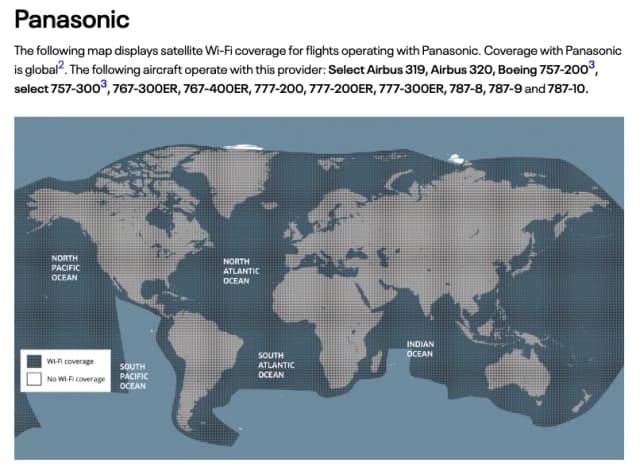 Panasonic's Wi-Fi coverage map for United flights.
United Airlines Wi-Fi Day Pass
MileagePlus members can purchase a Wi-Fi Day Pass for their entire trip. It’s perfect if you have multiple flights within 24 hours. Heads up: as free Starlink Wi-Fi spreads, United says it’s phasing out some Wi-Fi products, and its Wi-Fi page no longer lists the Day Pass, so it may not be offered on your trip.
How to Use the Wi-Fi Day Pass
- Connect to the United_Wi-Fi network.
- Visit unitedwifi.com.
- Log in with your MileagePlus account.
- Follow the instructions to activate the pass.
Your pass starts one hour before your first flight and lasts for 24 hours.
Wi-Fi Subscriptions
For frequent travelers, United offers monthly Wi-Fi subscriptions starting at $49/month or 7,500 miles. United stopped selling annual subscriptions in 2025, though existing ones work until they expire.
How to Buy a Wi-Fi Subscription
- Choose your region: North America/Central America or Global.
- Pay with a credit card or MileagePlus miles.
- Connect on your next flight by visiting unitedwifi.com and logging in with your MileagePlus account.
Bonus for MileagePlus Cardholders: Get 25% back on all Wi-Fi purchases!
T-Mobile Free Wi-Fi
This one is gone. T-Mobile ended its free in-flight Wi-Fi perk on United flights in July 2026, and T-Mobile’s in-flight page now only lists Delta, Alaska, Hawaiian and Southwest. As a T-Mobile customer, you now pay the same $8 (MileagePlus members) or $10 as everyone else on flights without Starlink. The good news: on a Starlink plane, a free MileagePlus account gets you free Wi-Fi anyway.
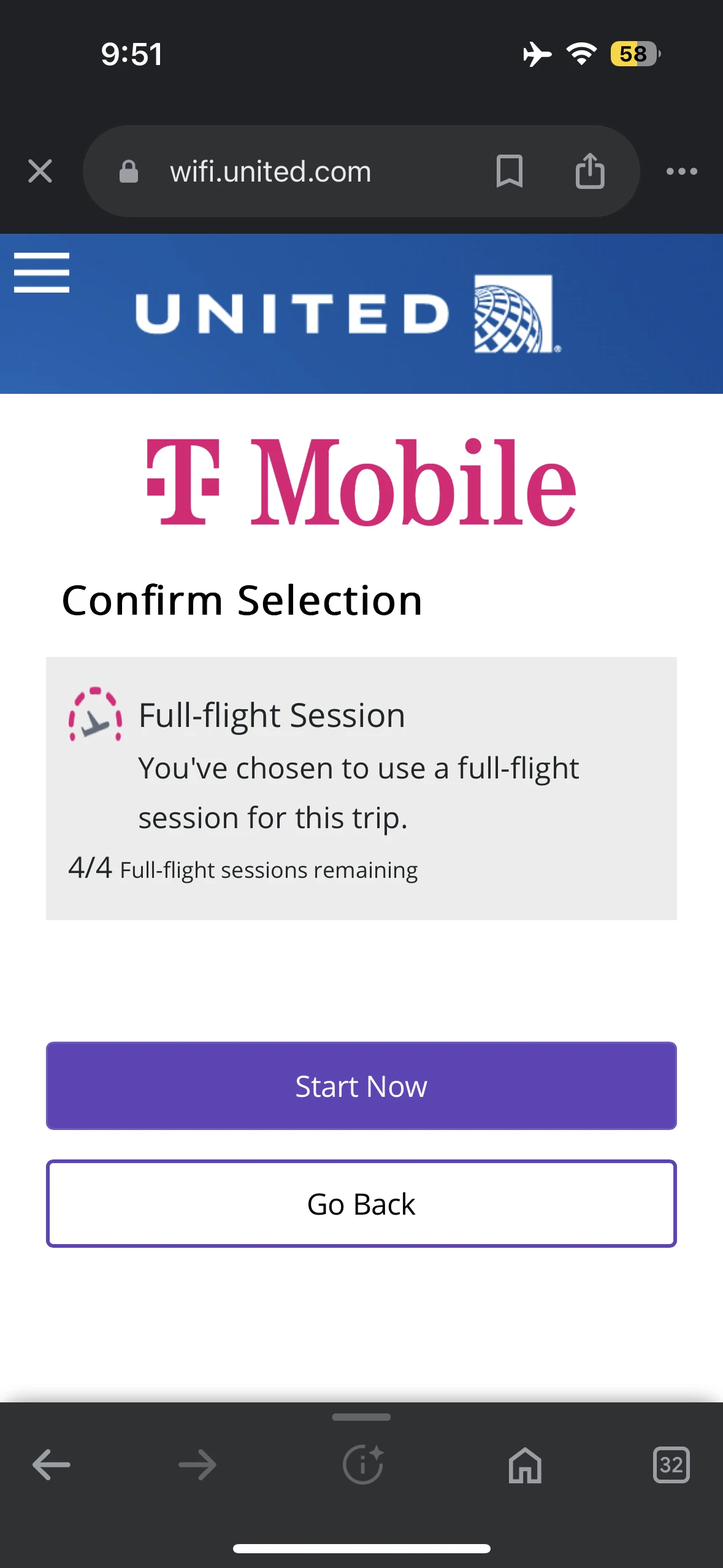 T-Mobile used to include free United Wi-Fi with some plans. That perk ended in July 2026.
How Do I Connect to T-Mobile Wi-Fi on My Flight?
You can’t anymore. Here’s what to do instead on a United flight:
- Turn on Airplane Mode and connect to United_Wi-Fi.
- Visit unitedwifi.com.
- Sign in with your MileagePlus account for free Starlink Wi-Fi, or pay for Wi-Fi if your plane doesn’t have Starlink.
There’s no T-Mobile option or cellphone number step on United anymore.
Starlink Wi-Fi on United Flights
United teamed up with Starlink to bring faster, free Wi-Fi powered by low-orbit satellites, and as of mid-September 2026 it’s live on more than 560 United and United Express planes. Starlink Wi-Fi is free for MileagePlus members in every cabin. You can’t pay for it without an account, so join MileagePlus (it’s free) before you fly.
When Will Starlink Wi-Fi Be Available on United Flights?
It’s already here. United launched Starlink on regional jets in May 2025 and now has it on most of its two-cabin regional fleet. Mainline planes followed in October 2025, starting with the Boeing 737-800, and the first widebody (a Boeing 777-200) flew Newark to London with Starlink in June 2026. United expects its entire widebody fleet to have it by summer 2027. United will let you know at check-in if your flight has it.
What Can I Do With Starlink Wi-Fi?
You’ll enjoy ground-level internet speeds for streaming, gaming, shopping, and more.
Will Starlink Wi-Fi Be Available on All United Flights?
Yes, eventually. United expects to finish installing Starlink across its fleet before the end of 2027. Until then, you may still have to pay for Wi-Fi on some flights.
FAQs About United Airlines Wi-Fi
Can You Buy Wi-Fi on United Airlines?
Yes! You can buy Wi-Fi per flight, get a day pass, or subscribe monthly. On Starlink planes you can’t buy it at all: it’s free, but only for MileagePlus members.
How Does United Airlines Wi-Fi Work?
United Wi-Fi connects your device to a satellite network, letting you browse the internet mid-flight.
Can I Share My United Airlines Wi-Fi Subscription?
No, subscriptions are tied to your MileagePlus account and cannot be shared.
When Can I Start Accessing United Airlines Wi-Fi?
You can connect after boarding and activating Airplane Mode.
Can I Switch United Airlines Wi-Fi Between Devices?
Yes, as long as you bought Wi-Fi through your MileagePlus account. Paid Wi-Fi works on one device at a time, so select “Switch device” on unitedwifi.com and your first device disconnects.
Can I Stream Video on United Airlines Wi-Fi?
Yes, you can stream videos on flights with enhanced connectivity.
Can I Access a VPN on United Airlines Wi-Fi?
Yes, VPN connections are supported.
Can I Make Calls on United Airlines Wi-Fi?
No, in-flight calling is not allowed.
Final Thoughts
United Airlines makes it easy to stay connected while flying, whether you need Wi-Fi for work, messaging, or entertainment. With free Starlink Wi-Fi for MileagePlus members on a growing number of planes, plus per-flight passes and monthly subscriptions for everything else, United ensures there’s a plan for every traveler. And with Starlink headed to the whole fleet by the end of 2027, the in-flight internet experience is only getting better!
Safe travels and happy browsing!